01 · Conversation
Talks like a real tutor
Full spoken conversation through on-device speech recognition and a neural voice. Your child asks, PULSE answers in clear sentences.
Pedagogical AI companion
The pedagogical AI companion
for growing minds.
Our mission
We build calm, screen-free learning machines for children. Smart enough to teach. Simple enough for a young child. Private by design.
What PULSE is
PULSE is a pedagogical companion built as a self-contained computer in a pencil box. It converses, keeps an academic memory of your child's school life, trains recall and reasoning through retrieval practice and spaced repetition, and assesses written work on paper, all on its own internal neural compute. It scaffolds thinking instead of handing out answers.
Converses and remembers
01 · Conversation
Full spoken conversation through on-device speech recognition and a neural voice. Your child asks, PULSE answers in clear sentences.
02 · Academic memory
Subjects, timetable, test dates and teacher notes are stored in a private profile for each child and recalled on request.
03 · Reminders
Books, kit and tests are announced from the timetable, the evening before and again at the desk.
04 · Knowledge
A rule engine computes exact answers first, an internal language model handles the rest, and every reply is vetted for your child's level.
Builds thinking
05 · Lessons
Structured lessons in maths and English grammar for classes 1 to 6, each followed by retrieval practice to strengthen recall.
06 · Mock drills
Mock drills under exam-style timing, scored per topic so weak areas surface early and are trained again.
07 · Memory
Spaced rotation brings topics back before they fade, moving learning from short-term to long-term memory.
08 · Literacy
PULSE dictates words for your child to write, or listens while they read aloud and helps with the hard parts.
Checks real work on paper
09 · Vision
A calibrated 12 MP camera captures the page and computer vision reads every question and every handwritten answer.
10 · Marking
Each answer is checked on the internal compute model. Your child's handwriting never leaves the device.
11 · Cognition
A nudge, then the method, then almost there. Parents set up to three levels before PULSE explains, so the child does the reasoning.
12 · Re-check
After a fix, PULSE compares each answer region with the last capture and re-reads only what changed.
Cares beyond study
13 · Recitation
Listen and sing along, or learn to recite line by line with PULSE prompting the next line.
14 · Bedtime
Calm, age-appropriate stories read aloud at the end of the day.
15 · Safeguarding
Speech is screened on the device for signs of distress or danger, and a priority alert reaches your phone first.
16 · Light
A dimmable LED on the fold-out arm lights the page for written work and keeps the camera reading clearly.
Why PULSE
01 · First of its kind
To our knowledge, the first pencil box with its own processor, memory, camera, voice and language model. One device replaces the tablet, the tutor app and the desk lamp.
02 · Internal compute
Speech, language and vision models run on the device. Only a worksheet question can go online, and only with your permission.
03 · Screen-free
Your child talks, listens and writes on real paper, so attention stays on learning instead of a feed.
04 · Trusted
Every link to your phone is end-to-end encrypted. You set the subjects, the hint depth and what PULSE may discuss.
How it starts
Your child taps their Companion pencil on the lid. The 13.56 MHz reader identifies the child, loads their profile, greets them by name and resumes exactly where they stopped.
New · Companions
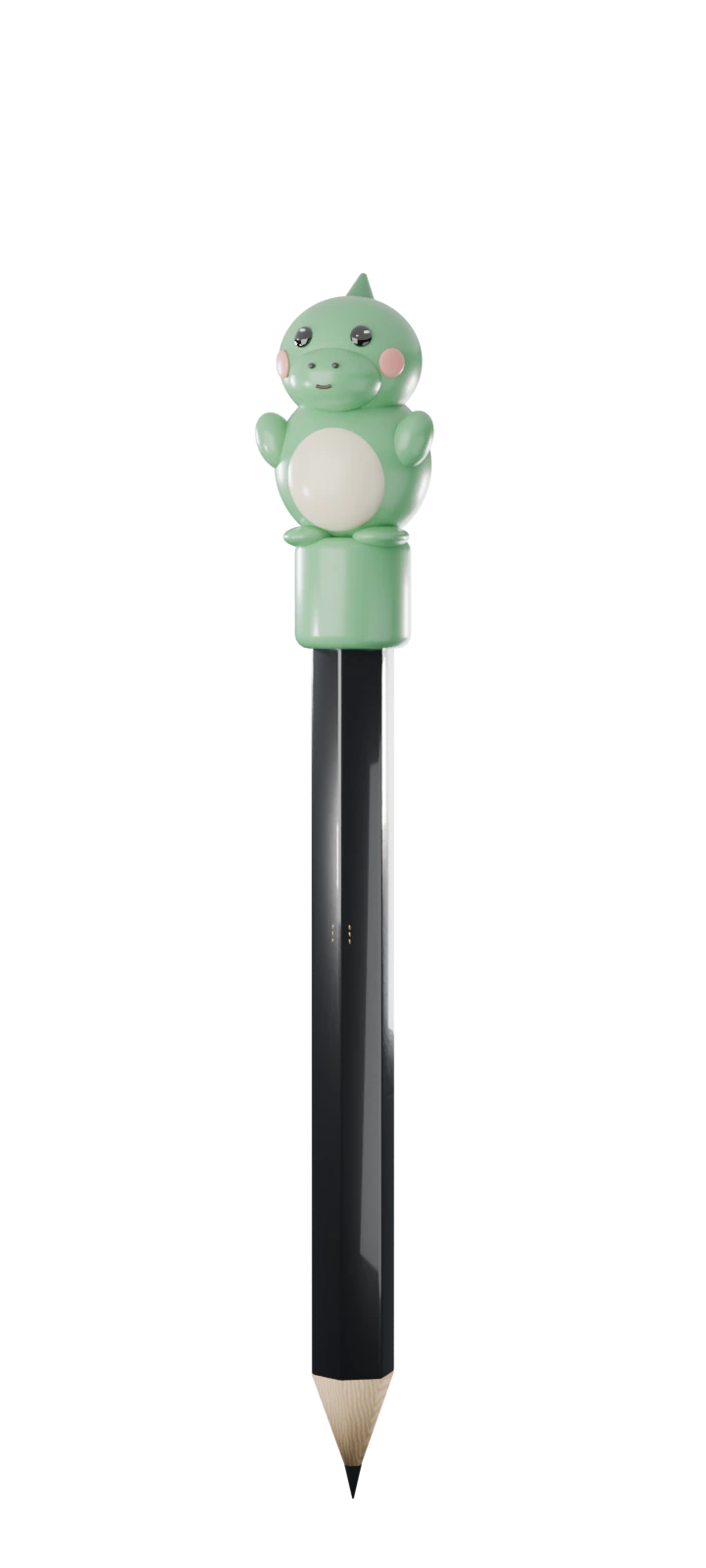
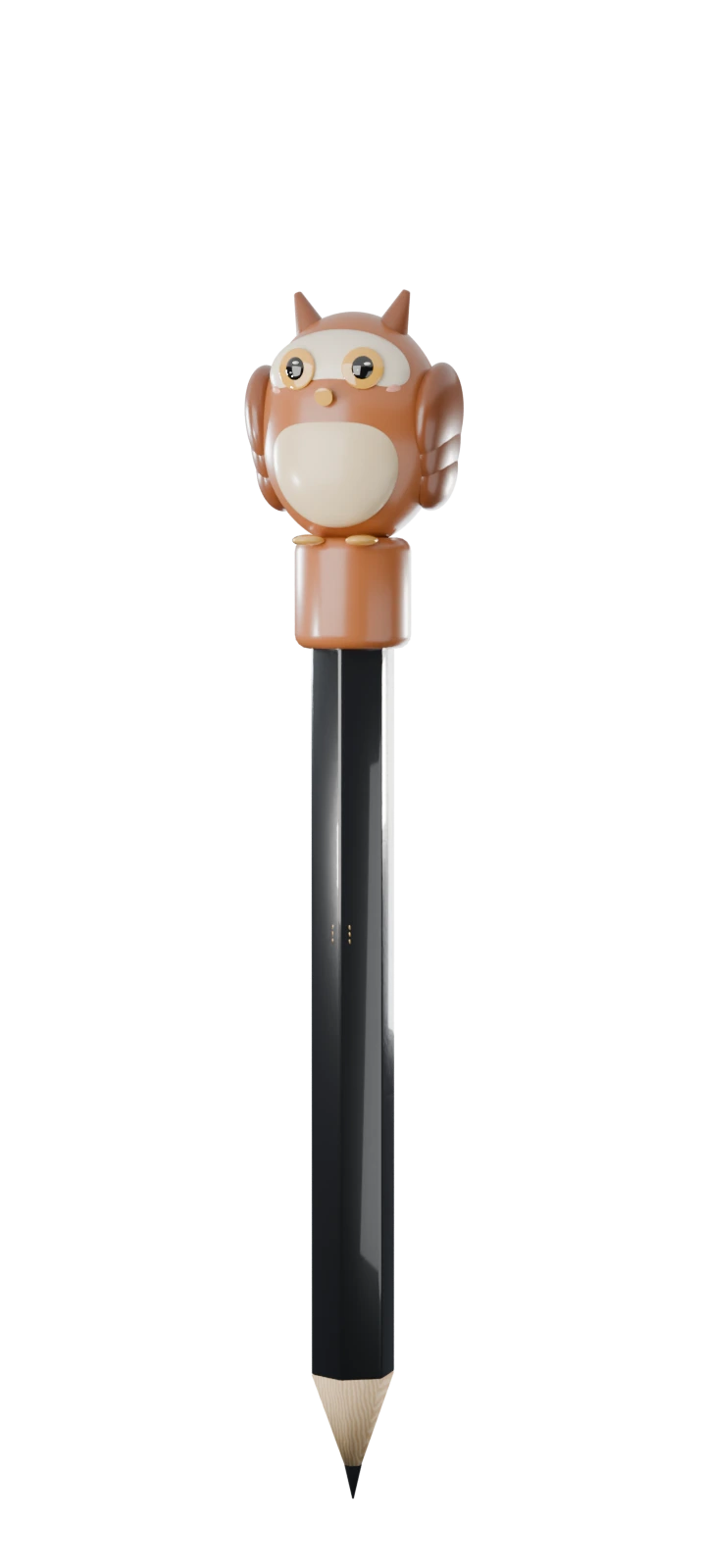
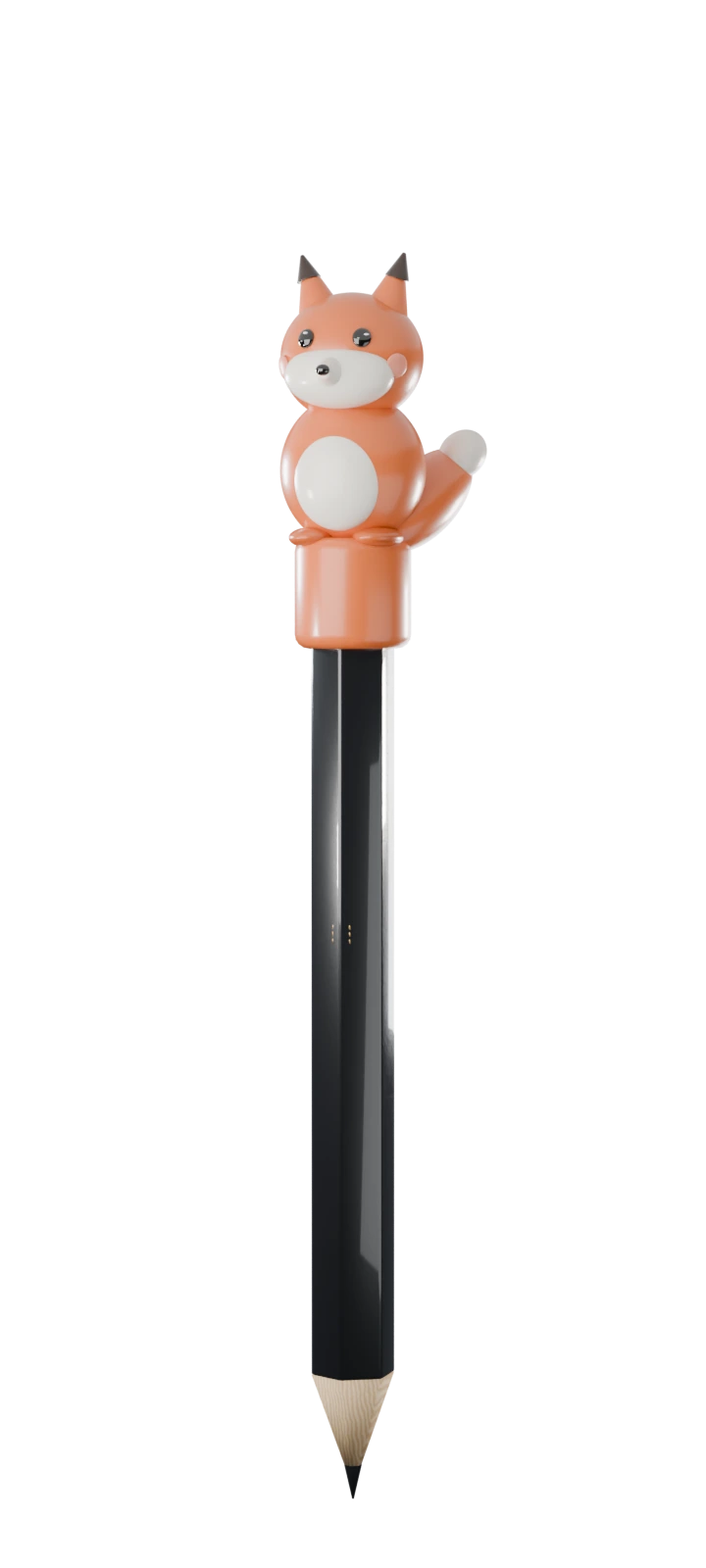
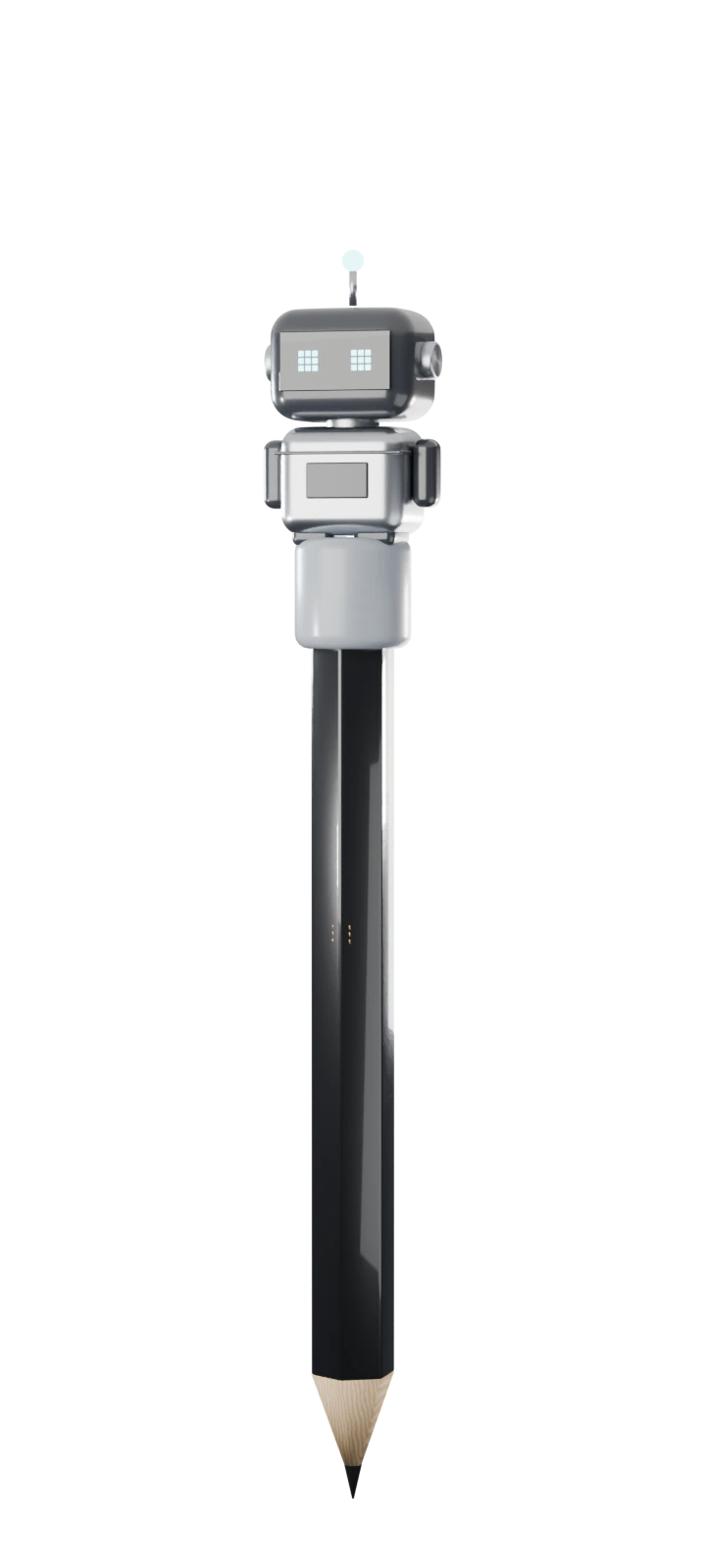
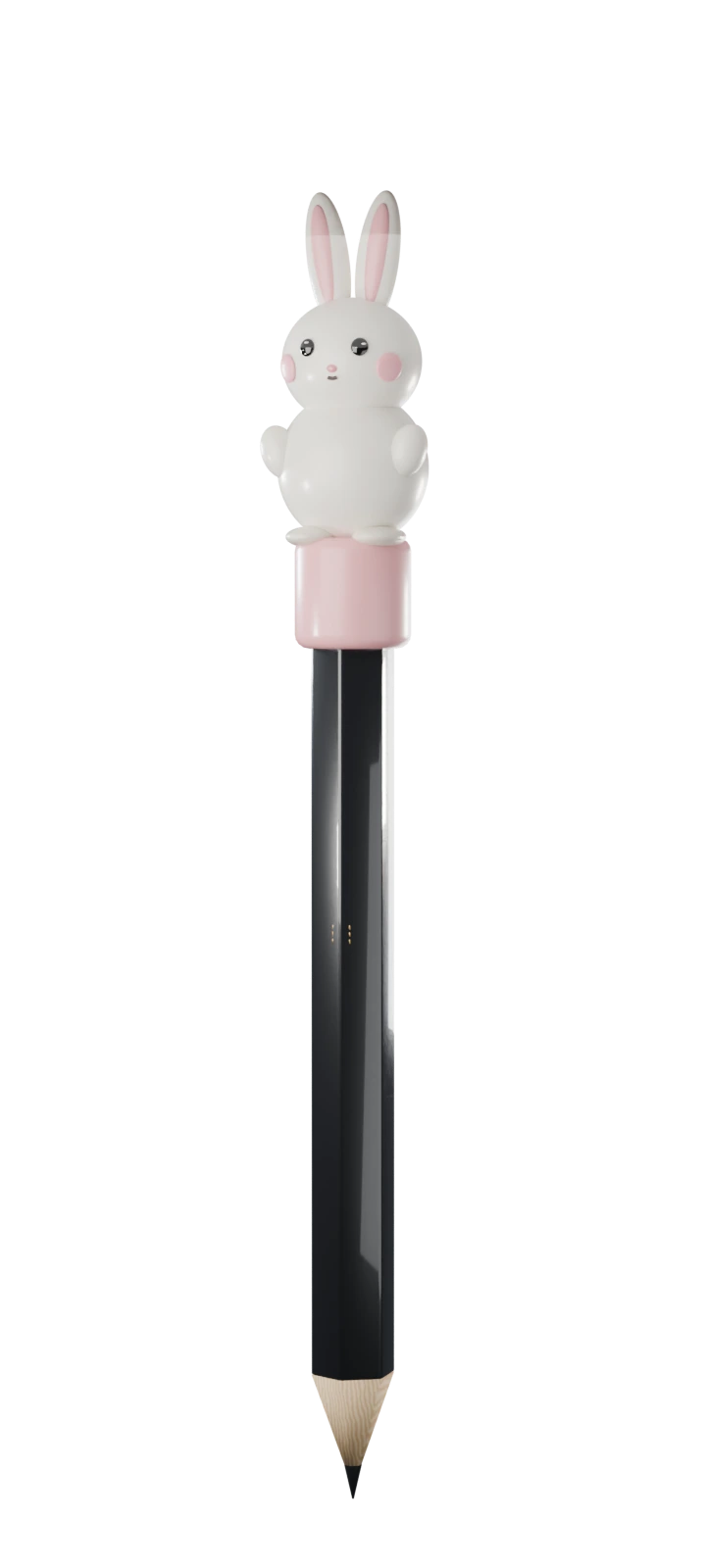
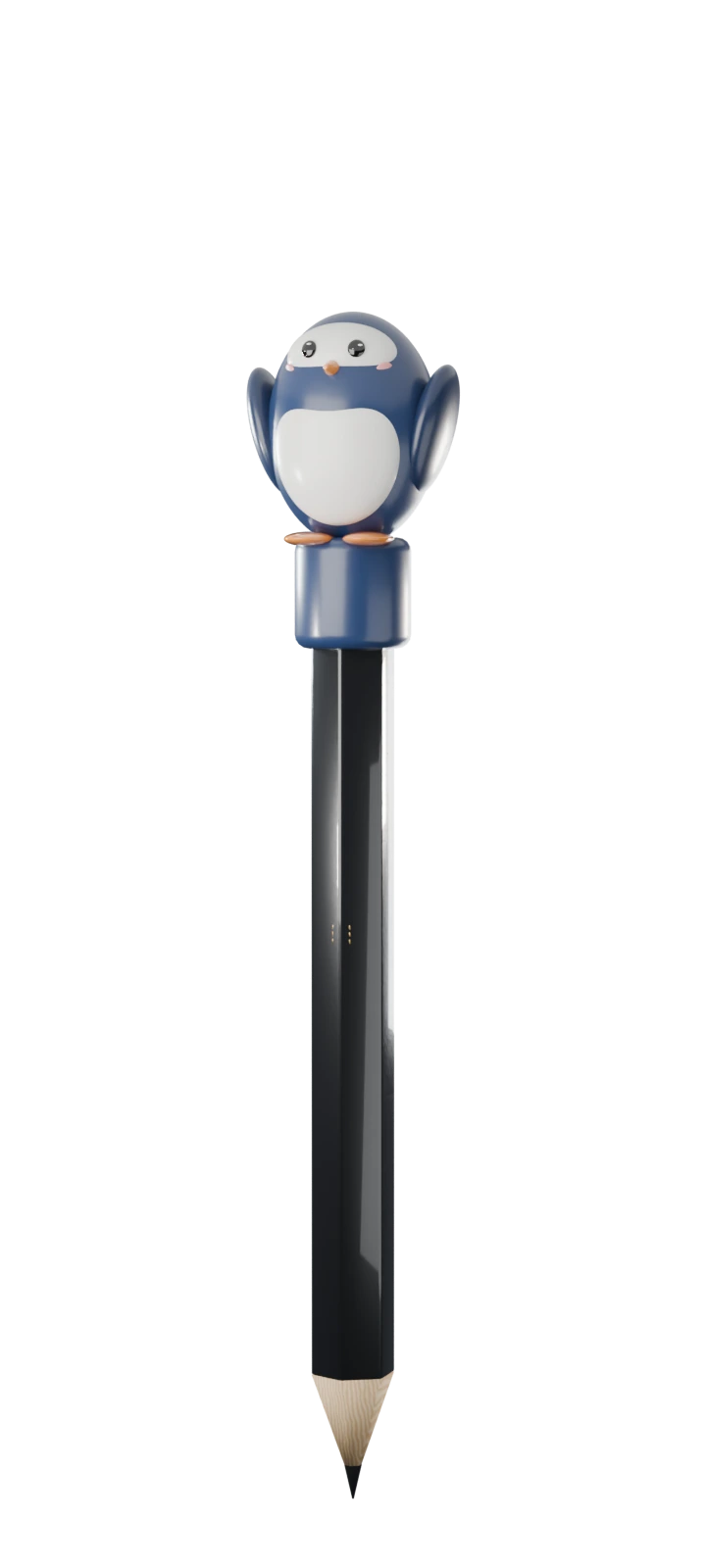
Collectible figures that sit on a pencil or are the sharpener. Each one carries a sealed contactless chip, so a single tap tells PULSE who is working and on what.
For parents · the PULSE app
PULSE has no screen of its own. The PULSE app for iPhone and Android is its control centre. Set topics and hint depth, send a message your child hears at the desk and receive alerts, at home or from work, over an end-to-end encrypted link. Reports show where your child is improving and where they need practice.
PULSE progress report
Weeks 1 to 6 · generated on the device
For families
The first PULSE units are being built now. One email when they're ready, with the price.
For investors and partners
Two UK patent applications filed. A working software stack. A fully designed enclosure. We're talking to investors, retailers and schools.
Pedagogical AI companion
A complete learning computer with on-device language, speech and vision. Drag the model, open the lid, deploy the camera arm or look inside.
Coming soon · Price to be announced
Scroll to see how PULSE works, from the first tap to the last hint.
Your child taps their figure on the lid. The 13.56 MHz reader identifies them, loads their profile and level, and PULSE greets them by name.
The camera arm rises from under the lid. Each frame is checked for light, glare and focus, corrected for perspective and cropped to the worksheet.
A nudge, then the method, then almost there, then the explanation. You choose how many levels come first, so your child does the reasoning.
Handwriting is read and marked on the internal processor. Only a worksheet question may go online, and only if you allow it.
Pencils, a sharpener, a drawer and a magnetic lid. Something a child is proud to carry.
Try a hint
Maths · Fractions · Class 5
● Hint 1 · Nudge
"Look at the bottom numbers. Can you make them the same before you add?"
Safety and privacy
PULSE works offline first. When a worksheet question needs the internet, only the question leaves the box, and only if you have said yes.
01
The camera looks down at the page only. Anything outside the worksheet is cropped away and deleted at once.
02
Your child's answers are read and checked inside PULSE. Their handwriting is never uploaded.
03
To understand a worksheet question, PULSE may send the question text. Never the photo, never the handwriting.
04
Online worksheet help stays off until a parent switches it on in the PULSE app.
05
Your child's name, voice, timetable and notes stay in the box and on your phone.
06
Answers and messages are checked inside the box against your child's level before PULSE says them.
07
Your phone pairs with the box in person. Every message between them is encrypted and signed.
08
See what PULSE has kept and what left the house. Delete any of it, any time.
Engineering
What happens inside PULSE every time your child shows it a worksheet. Every stage runs on the internal processor.
Contactless tag read at 13.56 MHz. The child's profile, level and progress load.
A 12 MP frame is scored for brightness, glare, sharpness and page extent. The LED is adjusted or the child is asked to move the sheet.
Perspective is corrected from the stored geometry of the stopped arm joints. No calibration target needed.
Optical character recognition runs at two scales. A question is accepted only when both reads agree.
Rules compute exact answers. The internal language model handles what rules cannot. In hybrid mode only question text is sent.
Every generated answer is checked against rules for the child's level before it is used.
Handwritten responses are compared with the reference inside the device and each error is located.
A four-state hint engine moves from nudge to method to worked step to explanation, capped by the parent.
A content fingerprint of each answer region decides what to re-read after a correction.
An encrypted event reaches the parent app with counts only. No image or handwriting is ever logged.
Inside PULSE
Language, speech and vision models run on the device itself. Nothing about your child needs a server to work.
Compute
Quad-core 64-bit Arm Cortex-A76 at 2.4 GHz with VideoCore VII graphics and 8 GB LPDDR4X memory, running a full 64-bit Linux system.
Language
A 7-billion-parameter open language model, 4-bit quantised and running on the device. A rule engine answers maths, curriculum facts and timetable questions exactly, and the model only handles what rules cannot.
Safety layer
Each spoken question is classified as in or out of scope first. Every model answer passes a vetting filter for the child's level before it is spoken, otherwise a safe reply is used.
Speech
Transformer speech recognition quantised to int8 and a neural text-to-speech voice, both on the device. Frequent phrases are pre-generated for instant replies.
Vision
A 12 MP autofocus wide camera on a fold-out arm with fixed, stopped joints. The known geometry corrects perspective without markers. Each page is read at two scales and accepted only when both reads agree.
Efficiency
After feedback, a fingerprint of every answer region is compared with the last capture, so only corrected answers are read again. Faster checks and less power.
Hybrid
With a parent's permission, only the printed question text goes to a cloud model. The reference solution comes back and the handwriting is checked inside the box.
Encryption
X25519 key exchange, HKDF-SHA256 key derivation and ChaCha20-Poly1305 authenticated encryption. Fresh keys for every connection give forward secrecy, and the 32-byte pairing secret never travels over the air.
Pedagogy
Maths and English grammar mapped to topics and levels, with retrieval practice, interleaving and spaced repetition scheduled per child from their own mastery data.
Connectivity
Dual-band Wi-Fi 5, Bluetooth 5.0 Low Energy for the parent app, and a 13.56 MHz contactless reader for the Companions.
Audio and light
Two 28 mm drivers on a 3 W class-D I2S amplifier, a built-in microphone, and a dimmable LED light on the arm that adapts to page brightness and glare.
Power
A rechargeable lithium-polymer battery with uninterrupted charging over USB-C, so PULSE moves from the desk to the kitchen table without a restart.
Technical specifications
Specifications describe the PULSE Vision design and may change before release.
Register interest
One email when it's ready, with the price and delivery dates.
Products
Two models, two finishes, and the Companions that bring them to life.
Models
With fold-out camera arm and lamp.
Reads and assesses written work · plus everything in Core
Explore ›The companion, without a camera.
Conversation · academic memory · training
Explore ›Compare models
| Vision | Core | |
|---|---|---|
| Conversation, questions and answers | ||
| Timetable, reminders and school notes | ||
| Lessons, practice and mock drills | ||
| Poems, rhymes, songs and bedtime stories | ||
| Concern alerts to the parent app | ||
| Companion recognition | ||
| Worksheet assessment on paper | ||
| Three-level hints on paper | ||
| Hybrid online question mode | ||
| Fold-out camera arm and desk lamp | ||
| Works fully offline | ||
| Plastic or Aluminium finish |
Editions
The same electronics and software inside, in three different bodies.

01 · Current build
Moulded in deep, rich colours (Midnight Navy, Racing Green, Oxblood, Aubergine, Deep Teal, Cognac, Graphite) or classic Cream, with slotted speaker grilles and colour-coded controls.
View in 3D →02 · Concept
A clean white shell, so the tap pad, Wi-Fi and Bluetooth work right through it, with a brushed aluminium lid, an aluminium base and an aluminium folding camera stand. A premium edition in design.
View in 3D →03 · Concept
A hollow two-rod arm folds flat into a channel at the back of the box. It lifts from the back, straightens at the second fold, and folds its head out so the camera hangs above the A4 page, which a soft LED light covers evenly.
View in 3D →Companions
Collectible friends that wake PULSE. Every one has a chip inside.
Collect all six
Each friend comes as a pencil topper and as a sharpener with a clear backpack.
Meet the Companions →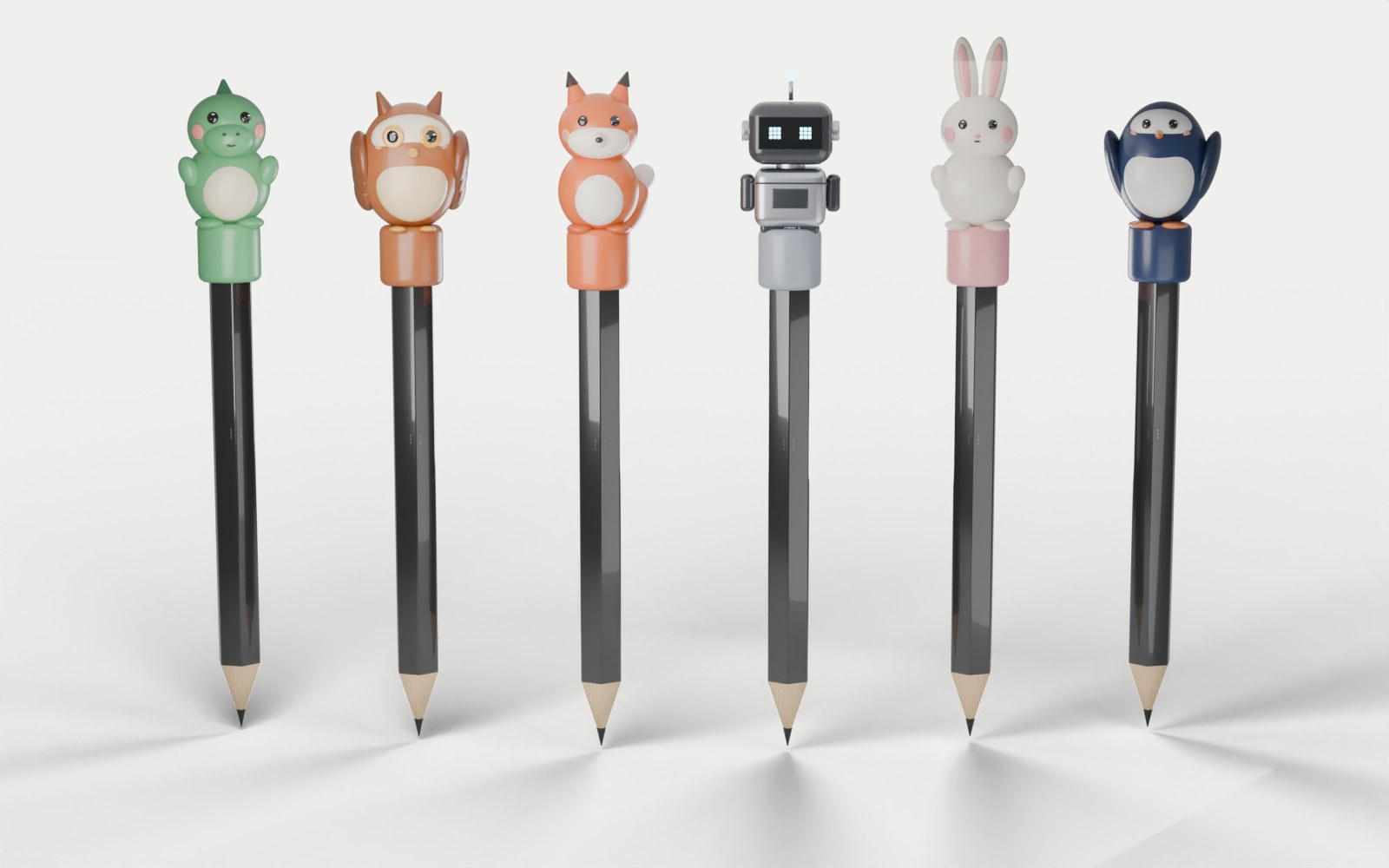
Companions · 01 / 06
Dinosaur · Maths
Pencil topper
Studio render · actual size about 4 cm
Two ways to carry a friend
01 · Topper
Slides onto any standard pencil. Soft-touch silicone, finished by hand, kind to small hands.
02 · Sharpener
The figure is the sharpener. The pencil goes in from underneath, the steel blade sits in its back, and a clear backpack clips on to catch the shavings.
Chip
A tiny sealed tag, like a contactless card. No battery, no camera, no microphone. It only tells PULSE who has arrived.
Family
Brothers and sisters share one PULSE. Each taps their own figure, and PULSE opens their name, their level and their progress.
Craft
Finished in small batches, numbered as first editions and presented in a magnetic keepsake box.
Moss, Hoot, Kit, Nova, Bun and Floe arrive with PULSE. Register your interest to hear first.
The PULSE app · iPhone and Android
PULSE has no screen. The app on your phone is where you choose what your child learns, send them a message and see how they are getting on.
Reports
Every session produces learning analytics on the device. Only the summaries reach your phone, encrypted.
Weak topics
Topics below mastery are flagged with the exact skill, for example adding fractions with unlike denominators.
Hint analytics
How many hints were needed, at which level, and whether that number falls week by week.
Error patterns
Repeated mistakes are grouped so you can see a misconception rather than a single wrong answer.
Time on task
Average time per question and per session, by subject.
Training impact
Mock drill scores over weeks show how practice and training changed results.
Recommendations
PULSE suggests the next sessions and you approve them from the app.
Sample reports
PULSE progress report
Spelling and reading · weeks 1 to 6
PULSE progress report
Maths · month of November
What you get
01 · Progress
See what is getting easier, week by week.
02 · Today
What your child did, for how long and how it went.
03 · Learn
Pick a topic. PULSE teaches it or sets a test.
04 · Organise
Add classes and reminders. PULSE says them on time.
05 · Message
Checked to be child-friendly, then spoken by PULSE.
06 · Safety
If your child says something worrying, you hear first.
07 · Anywhere
Next to the box or at work, you stay connected.
08 · Control
See what left the house. Delete anything, anytime.
✨ Write command
Write it in everyday words, like "teach fractions today". Set up a new figure for a child, start a lesson or a practice test, or send a kind message.
📚 View logs
Everything your child did, with simple charts of what they did today, homework scores, lessons and practice tests by subject. You can read it even when you are away from home.
Getting started
Scan the code PULSE shows you. Now only your phone can talk to your PULSE.
Open the app near PULSE and tap your PULSEbox.
You can still read everything saved on your phone.
Company · Glasgow
We design learning machines that a child can grow up with and a parent can trust. Our vision is a world where every child has a patient, private and genuinely intelligent companion on their desk, one that builds understanding rather than dependence.
The problem today
Today's options trade a child's attention, reasoning or privacy for convenience, and many families have no one free or confident enough to help at homework time.
Average daily screen media for children aged 5 to 8.
Common Sense Media, 2025 Census (US)
Share of young children's screen time spent on homework. The rest is mostly video and games.
Common Sense Media, 2025 Census (US)
of UK children aged 9 to 17 have used AI chatbots, often on platforms not built for children.
Internet Matters, Me, Myself and AI, 2025
of children using chatbots think it is better than searching for themselves.
Internet Matters, Me, Myself and AI, 2025
parents feel confident helping their child with homework.
Oxford Home Schooling survey of 1,000 UK parents
of UK parents say maths is the subject they struggle most to help with.
MyTutor parent survey
Why the problem exists
01
Feeds, autoplay and notifications compete for a child's focus. Very little of that screen time is learning.
02
Homework apps and chatbots return finished answers. The reasoning step, where learning actually happens, is skipped.
03
Voices, faces and handwriting are uploaded to servers families never see, from tools never designed for children.
04
Parents short of time, unsure of today's methods, or not confident in a subject leave children stuck alone.
Our solution
To our knowledge, the first learning device to combine conversation, academic memory, vision-based assessment of written work and scaffolded hints in a single self-contained computer.
| Tablets and apps | AI chatbots | PULSE | |
|---|---|---|---|
| Screen time | Feeds and autoplay | Screen on a phone | No screen |
| How it helps | Gives the answer | Gives the answer | Graded hints, reasoning first |
| Checks work on paper | No | No | Camera reads and marks it |
| Remembers school life | No | Partly, in the cloud | Private academic memory |
| Where it thinks | Cloud servers | Cloud servers | Internal processor |
| Built for children | Rarely | Rarely | Level-vetted every reply |
| Parent control | Screen-time limits | Little or none | Encrypted app, set every detail |
| Tracks progress | Points and streaks | No | Mastery reports per topic |
How we build it
We combine learning science with on-device machine learning, computer vision and conversational AI, engineered from the processor up for children.
01
Graded hints, retrieval practice and spaced rotation build reasoning step by step instead of handing over answers.
02
Voice, paper and tangible tokens replace the screen. Children learn with their hands, their pencil and their own words.
03
Language, speech and vision models run on Arm processors inside the device. No cloud is needed to think.
04
Offline first, data minimised at capture and every link end-to-end encrypted with modern authenticated cryptography.
05
Each child's record shapes the difficulty, the hints and the next topic, so the companion grows with them.
06
Parents set the scope, the hint depth and what the companion may discuss, and see exactly what was kept.
In numbers
Milestones
Jun 2026
The original PULSE application is filed at the UK IPO.
Nov 2026
The complete enclosure, from speaker grilles to the drawer.
Nov 2026
GB2627063.7 and GB2627064.5 are filed.
Next
Building and testing the first PULSE devices.
Contact
Families, investors, retailers, schools and press. We read every message.
Studio
Glasgow, United Kingdom